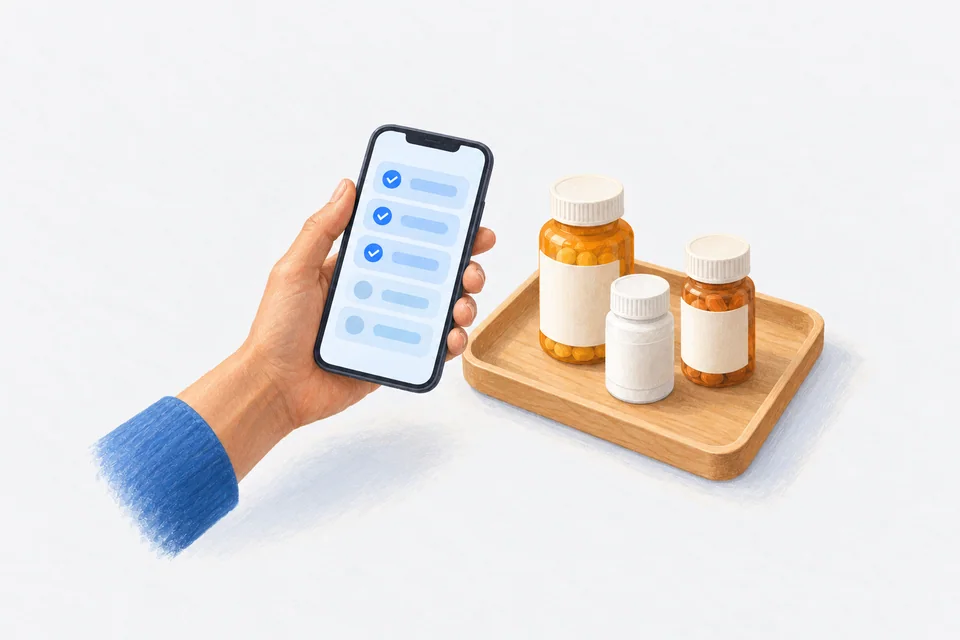
A pill tracker app does two jobs: it reminds you when a dose is due and it records what you actually took. Everything else is extra. The best one for you is the one that does those two jobs so smoothly that you keep using it after the first fortnight.
Search the App Store for "pill tracker" and you will find hundreds of results. Most look similar in the screenshots. The differences show up later, at 9 pm on a busy Tuesday, when the reminder arrives and you either deal with it in two seconds or swipe it away and forget. This guide is about those differences.
The two jobs, done properly
Reminding you
A reminder that fires once and then goes quiet is easy to miss. You might be in the shower, driving or holding a child. Look for:
- Follow-up reminders. If you have not logged the dose, the app should nudge you again after a set gap.
- Actions on the notification. Take, Skip and Snooze straight from the Lock Screen, without unlocking and finding the right screen.
- Time Sensitive notifications. On iPhone, these can break through a Focus mode you have set up, so a Work or Sleep Focus does not swallow your evening dose.
Recording what you took
A tick is not enough. A useful record shows the time you took the dose, not just that you took it. That matters when you are trying to answer questions like "did I take it before or after lunch?" or "why did I feel off on Thursday?".
It also matters when you want to show someone else, such as your GP, pharmacist or a specialist. A list of timestamps is far more useful than a memory of "mostly on time".
Features worth having
Beyond the basics, a few features make a real difference for most people:
- Dose windows. A window around each dose time (say, an hour either side) lets a slightly late dose still count as on time. Without one, an app can make an ordinary morning look like a failure.
- Flexible schedules. Real medication is not always "every day at 8 am". You may have something on Mondays only, every second day, every eight hours or as needed. Check that the app handles your actual schedule before you enter everything.
- Supply tracking. If the app knows how many tablets you have and how many you take a day, it can tell you when you are running low. Our refill reminder guide covers how this works.
- Watch and widgets. Logging from your wrist or seeing your next dose on the Home Screen or Lock Screen removes another step.
- An export. If you ever change apps or see a new doctor, you want your history out in a readable form.
What a pill tracker should never ask for
Some things are red flags, or at least worth a second look:
- An account just to set a reminder. A reminder app can work entirely on your phone. If it insists on an email and password before you can add a single tablet, ask why.
- A subscription for the basics. Reminders and a dose log are not expensive to run. Paying every year, indefinitely, for something you will need indefinitely adds up. There are apps that are free for the core features and charge once for extras.
- A cap on how many medications you can add. Some free tiers stop at two or three. If you take five things, that is not a free app.
- Your contacts, location or advertising ID without a clear reason. Read the App Privacy section on the App Store listing before you install. Our health app privacy checklist walks through what to look for.
Setting up a pill tracker in ten minutes
You do not need to enter your whole medical history on day one. Start small and build.
- Gather what you take. Bring every bottle, box and blister pack to one place, including vitamins and anything you take only now and then.
- Add the daily ones first. Name, strength as printed on the label and the time you actually take it, not the time you think you should.
- Set your reminder style. Turn on follow-ups. Choose a dose window that matches your real life.
- Add the irregular ones. Weekly, alternate-day and as-needed medications next.
- Add supply if you can. Count what is in the current pack. It takes a minute and saves a scramble later.
- Live with it for a week. Then adjust times that keep arriving at the wrong moment.
If the label is hard to read or the name is long, some apps let you scan the label with your camera to fill in the details. Always check what it filled in against the label itself.
How Cadence approaches it
Cadence is a pill tracker for iPhone and Apple Watch built around those two jobs. Reminders come with follow-ups and Lock Screen actions. Every dose is logged with the time you took it. Dose windows are on by default and adjustable. It handles daily, specific days, every few days, monthly, on/off cycles, every few hours, as needed and tapering schedules.
The free version has unlimited medications, no account and no ads, and your data stays on your phone. Cadence Pro adds insights, Apple Health connections and a PDF report for your doctor, and it is a one-time purchase rather than a subscription.
A note on safety
A pill tracker is a memory aid, not a medical device. It cannot tell you whether a dose is right for you, and it will not know if your prescription changes unless you update it. If you miss a dose and are not sure what to do, the leaflet in the pack is a good first stop, and your pharmacist is the best second one.
Frequently asked questions
Is a pill tracker the same as a medication reminder app?
Mostly. "Pill tracker" tends to emphasise the record of what you took, and "reminder app" the alerts. A good app does both.
Can I track vitamins and supplements too?
Yes. Treat them like any other daily item. Our vitamin reminder guide has tips for fitting them in around meals.
What if I take something only when I need it?
Look for an app with as-needed tracking that shows when you last took it and how many you have had today. See our guide to tracking as-needed medication.
Do I need an Apple Watch?
No. A watch is handy for logging without your phone, but every feature works on iPhone alone.
Cadence is a free medication reminder app for iPhone and Apple Watch. It is not medical software and does not give medical advice. Cadence Pro is a one-time purchase, with no subscription.