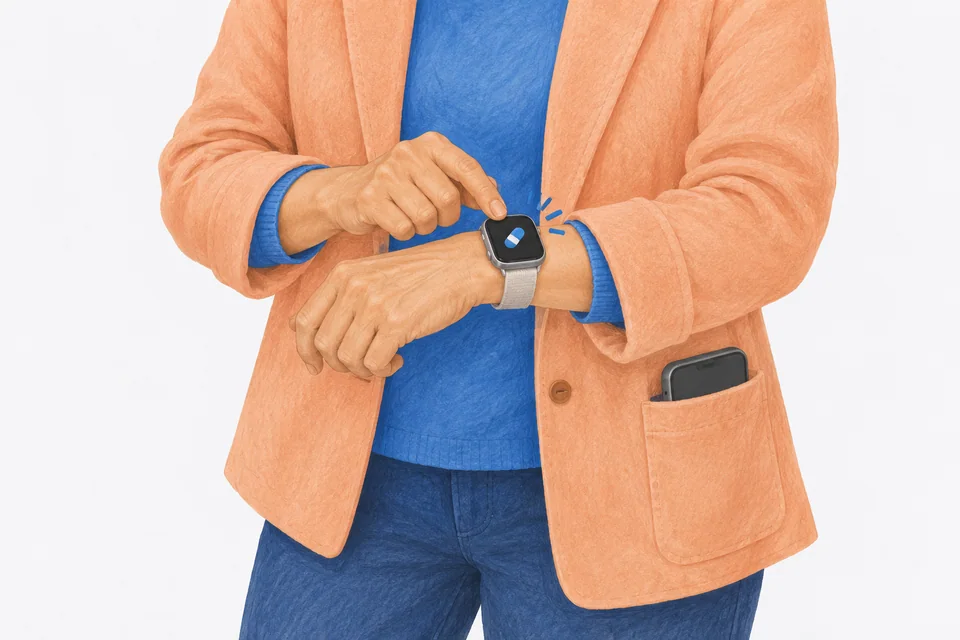
If the Medications app is missing from your Apple Watch, open the App Store on the watch, search for "Medications" and tap the Redownload button. It's a built-in Apple app that can be deleted. If the app is there but your medications are not, add them in the Health app on your iPhone first, check both devices use the same Apple Account and update the watch to the latest watchOS. A medication that shows Schedule Unavailable needs watchOS 11 or later.
Apple's Medications app on Apple Watch shows the medications you added in the Health app on your iPhone and lets you log them from your wrist. When it works, it's one of the easiest ways to keep track. When it doesn't, the problem is usually one of five things: the app was deleted, the medications were never added in Health, the watch is out of date, the schedule type isn't supported or the reminder went to your iPhone instead.
The steps below come from Apple's support pages, checked on 18 November 2026: Track your medications on Apple Watch, Add and log medications, Delete built-in Apple apps and Notifications on your Apple Watch.
1. Bring back the Medications app
Since watchOS 9.4, Apple lets you delete some built-in apps from Apple Watch, and Medications is one of them. If you can't find it on the watch, it may have been deleted. To restore it:
- On your Apple Watch, open the App Store.
- Search for Medications. Apple says to use the exact name of the app.
- Tap the Redownload button.
- Wait for it to install, then open it from the Home Screen.
You can also search the App Store on your iPhone. Apple lists Medications there as an Apple Watch app that needs watchOS 9 or later.
If the App Store shows Open instead of Redownload, the app is already installed. Press the Digital Crown to see all your apps and look for it there.
2. Add your medications in Health on iPhone
The watch app doesn't create medications. Apple says you manage them in the Health app on your iPhone or iPad, and the watch shows what you added there.
- On your iPhone, open Health.
- Tap Browse, then Medications. (On iOS 26 the Browse button is an icon at the bottom right.)
- Tap Add a Medication and follow the steps, including a schedule.
If a medication is in Health but archived, it won't show as a current medication anywhere.
3. Check the account and software
Apple says Health data only syncs across devices that are signed in to the same Apple Account, connected to the internet and updated to the latest OS version.
- On the iPhone, open Settings > General > Software Update.
- On the watch, open the Watch app on your iPhone, tap General, then Software Update.
An iPad set up on someone else's account will never share your medications. Our guide to Apple Health medications not syncing goes deeper into iCloud and multiple devices.
4. Fix "Schedule Unavailable"
Apple says the On a Cyclical Schedule and On Specific Days of the Week schedule types need iOS 18, iPadOS 18 or watchOS 11 or later. If your watch is older:
- Update to watchOS 11 or later if your watch supports it.
- If it can't update, open Health on your iPhone, tap the medication, then under Schedule tap Reset Schedule and pick a different schedule type.
Apple notes that if you keep the existing schedule, you can log that medication and get its reminders only on your iPhone or iPad.
5. Reminders go to your iPhone instead
Apple is clear that a notification appears on your iPhone or your Apple Watch, not both. According to its support page, reminders go to the iPhone when:
- The iPhone is unlocked. Lock it and put it down, and the next reminder should go to your wrist.
- The watch is locked. A lock icon shows on the watch face. Unlock it after you put it on.
- Do Not Disturb is on on the watch.
- The watch and iPhone are disconnected. Press the side button to open Control Centre. A red iPhone or red X icon means they are not connected. Keep them close, turn off Airplane Mode and check Wi-Fi and Bluetooth are on.
Apple also says Low Power Mode on the watch changes how notifications behave: the Always On display is off, so you might not see a notification unless you raise your wrist. Our Apple Watch reminders not working checklist covers mirroring, haptics and wrist detection in more detail.
6. Check Dose Reminders is on
If no reminders come on either device, the switch may be off in Health. Apple's steps: open Health on iPhone, tap Browse, then Medications, scroll down and tap Options, then turn on Dose Reminders. Turn on Follow Up Reminders too, which remind you again after 30 minutes. The full list of fixes is in our guide to Apple Health medication reminders not working.
7. Watches set up for a child
Apple says the Medications feature isn't available on an Apple Watch set up with Apple Watch For Your Kids. If the watch belongs to a child in your Family Sharing group, that's why the app isn't there. A parent's iPhone, a printed list or our free medication schedule maker are the alternatives.
8. Restart both devices
Turn the watch off and on again, then the iPhone. Apple suggests this when the two won't connect, and it clears more than you'd expect.
What the watch shows, and what it doesn't
Once it works, keep expectations in line with what Apple describes:
- Today only. The watch shows today's schedule and what you logged today, under Logged. Apple says to view your full history in Health on iPhone or iPad. If you forgot to log a dose yesterday, see how to log a past dose in Apple Health.
- Log All as Taken. Tap a time slot, such as your morning medications, then Log All as Taken, or log them one by one.
- A watch face complication. Apple says you can add Medications to your watch face to see your schedule or open the app.
How Cadence works on Apple Watch
If you'd like a different approach, Cadence has its own Apple Watch app. It shows today's doses and lets you tap to log them from your wrist. Reminders from your iPhone come to the watch with Take, Skip and snooze buttons. Follow-up reminders come through as well. Complications show what's next on your watch face. The watch moves to the new day at midnight on its own, using the days your iPhone has already sent it. If the watch app ever looks empty, open Cadence on your iPhone so it can send the day across.
Cadence keeps your medications on your iPhone, with no account. It's free for unlimited medications, and Cadence Pro is a one-time purchase. On iOS 26 or later it can import your medications and past doses from Apple Health. Our guide to Apple Watch medication reminders compares the options.
Frequently asked questions
Why is the Medications app not on my Apple Watch?
It may have been deleted. Since watchOS 9.4 you can delete it like other built-in apps. Open the App Store on the watch, search for "Medications" and tap Redownload. It also isn't available on a watch set up with Apple Watch For Your Kids.
Why are my medications not showing on my Apple Watch?
The watch shows medications you added in Health on your iPhone. Check they are there and not archived, that both devices use the same Apple Account and that the watch is up to date. A medication marked Schedule Unavailable needs watchOS 11 or later.
Why do medication reminders show on my iPhone but not my watch?
Apple sends each notification to one device. If your iPhone is unlocked, or the watch is locked, in Do Not Disturb or disconnected, the reminder goes to the iPhone.
Can I add a medication on Apple Watch?
No. Apple says you add and manage medications in the Health app on your iPhone or iPad. The watch is for logging and reminders.
Can I see past days on the Apple Watch Medications app?
No. It shows today's schedule and what you logged today. Apple says to view your full history in the Health app on iPhone or iPad.
Cadence is a free medication reminder app for iPhone and Apple Watch. It is not medical software and does not give medical advice. Cadence Pro is a one-time purchase, with no subscription.
