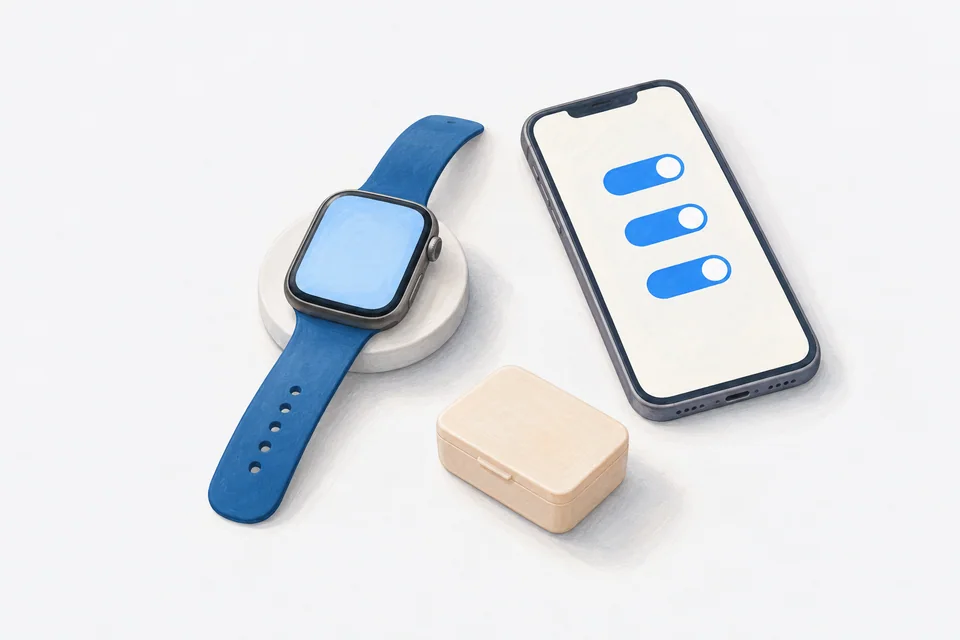
If medication reminders arrive on your iPhone but not your Apple Watch, the cause is almost always a setting, not a fault. Start with the most common one: when your iPhone is unlocked and in use, notifications go to the phone instead of the watch. If that is not it, work through notification mirroring, Focus, wrist detection and the connection between the two devices.
A wrist reminder is one of the best ways not to miss a dose, so it is worth getting right. Our overview of Apple Watch medication reminders covers setup. This guide is for when it is set up and still not working. Settings names below are from recent versions of iOS and watchOS; older versions may differ slightly.
1. Check where the iPhone is
Apple Watch shows notifications when your iPhone is locked or asleep. If you are actively using your iPhone, the notification appears on the phone instead. This is normal behaviour and the most common reason people think watch reminders are broken.
Test: lock your iPhone, put it down and wait for the next reminder.
2. Check the app sends notifications at all
On your iPhone, open Settings > Notifications, find your medication app and check:
- Allow Notifications is on.
- Time Sensitive Notifications is on, if the app offers it.
- Lock Screen, Notification Centre and Banners are all on.
If reminders are not reaching your iPhone either, fix that first. The watch can only show what the phone receives.
3. Check notification mirroring
On your iPhone, open the Watch app, then Notifications. Scroll to your medication app and make sure Mirror my iPhone alerts is on.
If your medication app has its own Apple Watch app, it may appear in the upper part of the list with its own settings. Make sure its notifications are allowed there.
4. Check Focus and Do Not Disturb
Focus modes are shared between iPhone and Apple Watch by default. If a Work, Sleep or Personal Focus is on, reminders may be held back on both.
- On your iPhone, open Settings > Focus, choose each Focus you use and add your medication app under Allowed Apps, or allow Time Sensitive notifications.
- On the watch, swipe up or press the side button to open Control Centre and check whether a Focus or Do Not Disturb is on.
Sleep Focus deserves a special look if your reminders are early in the morning or late at night.
5. Check wrist detection and passcode
For notifications to appear, your watch generally needs to be on your wrist and unlocked. If wrist detection is off, or the watch is locked, you may not see them.
- On the watch, open Settings > Passcode and check Wrist Detection is on.
- Make sure the watch is unlocked after you put it on.
6. Check silent mode and haptics
If reminders arrive but you do not notice them:
- Silent Mode may be on. Check Control Centre on the watch.
- In Settings > Sounds & Haptics on the watch, turn up Haptic Alerts or turn on Prominent Haptic for a stronger tap.
- Cover to Mute can silence alerts when your hand covers the screen.
7. Check the connection
The watch needs to be connected to the iPhone, by Bluetooth nearby or Wi-Fi further away.
- Swipe up on the watch for Control Centre. A green iPhone icon means connected; a red one means not.
- Make sure Bluetooth and Wi-Fi are on, on the iPhone.
- If it stays disconnected, restart both devices.
8. Check battery settings
On a low battery, the watch may limit some activity. If reminders are unreliable when the battery is low, charge it and see whether the problem goes away. Make sure Low Power Mode is not left on all the time.
9. Restart both devices
If everything looks right and reminders still do not appear, turn both the iPhone and the watch off and on again. It fixes more than you would expect.
10. Update everything
Check for updates to iOS, watchOS and your medication app. Notification bugs are sometimes fixed in updates.
If the watch app shows the wrong day
Some medication apps get their schedule from the iPhone. If the watch has not been in touch with the phone for a while, it may show an out-of-date list. Opening the app on the iPhone usually refreshes it. Cadence's watch app moves to the new day at midnight on its own, even when the phone is not nearby, using the days the phone has already sent it.
Still not working?
Note which reminders fail, at what time and what Focus was on. That detail helps the app's support team, or Apple, track the problem down. In the meantime, keep reminders on your iPhone as well, so you have a backup.
How Cadence works on Apple Watch
Cadence has an Apple Watch app where you can see today's doses and tap to log them from your wrist. Reminders on the iPhone mirror to the watch with Take, Skip and Snooze, and follow-ups come through as well. Watch complications show what is next on your watch face. The watch app is free, with no account.
Frequently asked questions
Do I need the watch app installed to get reminders on my watch?
No. iPhone notifications can mirror to the watch without it. The watch app adds logging and a view of your day on the wrist.
Why do some reminders arrive on the watch and some on the phone?
It depends on whether your iPhone was locked at the time. Locked phone: watch. Phone in use: phone.
Can I get reminders on the watch without my iPhone nearby?
Mirrored notifications need the iPhone to be connected by Bluetooth or Wi-Fi. A watch with mobile data can stay connected further away.
Cadence is a free medication reminder app for iPhone and Apple Watch. It is not medical software and does not give medical advice. Cadence Pro is a one-time purchase, with no subscription.