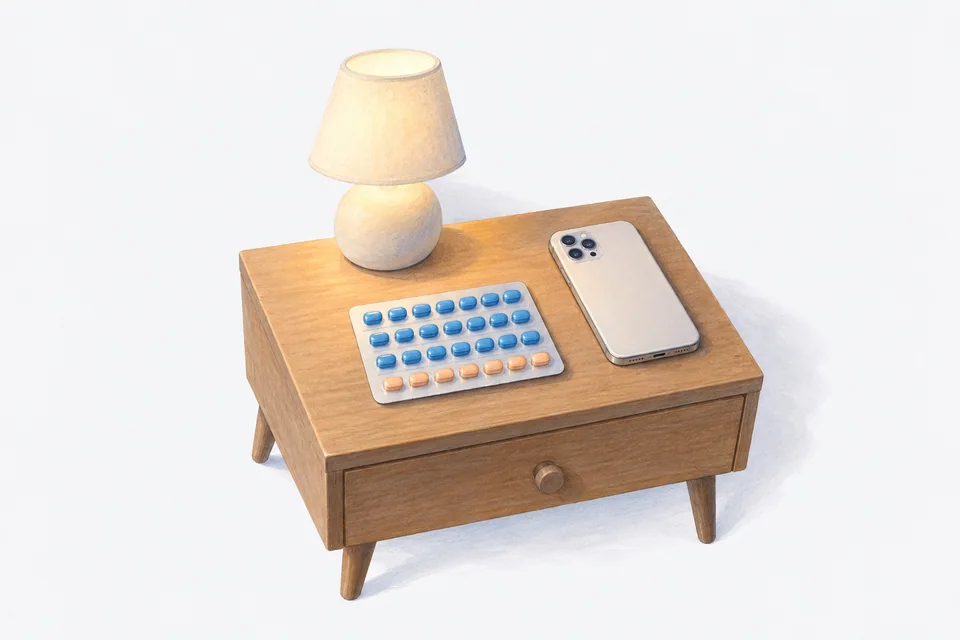
A 21/7 pill pack means 21 days of active pills, then 7 days without. A plain daily reminder gets this wrong twice a month: it nags you during the break and then it does not tell you when the new pack starts. A reminder set up as an on/off cycle, anchored to the first day of your current pack, gets both right.
This guide is about the reminder, not the medication. Your pack leaflet, your doctor and your pharmacist are the right people for questions about which pill, what to do after a missed pill or whether you need extra protection. Instructions differ between brands and between types of pill, so always follow the leaflet that came with yours.
How a 21/7 pack works
A 21/7 pack has three weeks of active pills. After the last active pill you have a seven-day break, during which you take nothing (some packs have seven inactive pills instead, which keep the daily habit going). Then you start the next pack.
There are other patterns too:
- 24/4 packs, with four days off or four inactive pills.
- Continuous packs, where you take an active pill every day with no break.
- Packs with inactive pills, where you take something every day but only some of the pills are active.
The setup below works for any on/off pattern. If you take a pill every single day, including inactive ones, a simple daily reminder is enough.
What goes wrong with a daily reminder
A daily reminder at 8 pm is fine for 21 days. Then:
- During the break, it still fires every night. You learn to swipe it away, and that habit does not always switch off when the new pack starts.
- On restart day, there is nothing special about the reminder, so it is easy to forget that tonight is the night you start again.
- If you turn the reminder off for the break, you have to remember to turn it back on, which is the very thing you were trying not to have to remember.
Set it up as a cycle instead
Most good reminder apps have a cycle or on/off option. Set it up like this:
- Choose the cycle pattern. For a 21/7 pack, 21 days on and 7 days off.
- Set the start date to the first day of your current pack. This is the step people get wrong. If you are on day 10 of a pack today and you set the start date to today, every break will land 10 days late. Count back to the day you took the first pill of this pack.
- Set the time you usually take it. Pick a time you are reliably at home or near your bag, not the time you think you ought to take it.
- Turn on follow-up reminders. If tonight is busy, the follow-up gives you a second chance.
- Check the next few weeks. Look at the calendar or schedule view and make sure the break days and the restart day fall where your pack says they should.
If you are starting a brand new pack today, today is the start date.
Make restart day hard to miss
Restart day is the most important day of the cycle. A few ideas:
- Keep the next pack with the current one. When the current pack is finished, the next one is already in your hand.
- Put the empty pack somewhere you will see it. On the bathroom bench or next to your toothbrush, until the new pack is started.
- Write the restart day on the box. Some packs have stickers with day names for this reason.
- Check your supply. If the pack you are finishing is the last one, order more before the break starts, not on restart day.
Taking the pill at a consistent time
Many pills work best taken at around the same time each day, and some have a narrower window than others. Your leaflet will say. Choose a time that holds up on weekends and holidays as well as workdays. Evening often works because you are usually home; morning works if you have a fixed routine. Either way, link it to something you already do every day.
If you travel across time zones, timing gets trickier. Our time zone guide covers keeping doses on home time. For anything to do with protection while travelling, ask your pharmacist before you go.
If you miss a pill
Do not rely on an app for this. What to do after a missed pill depends on the type of pill, how many you missed and where you are in the pack. The leaflet sets out the steps for your pill, and a pharmacist can talk you through it quickly, often without an appointment.
What an app can do is tell you exactly what happened: which day, whether the dose was logged and at what time. That is useful information to have when you ask.
How Cadence handles it
Cadence has a Cycle (on/off) option for patterns like 21 days on and 7 days off. You set the first day of your current pack and the cycle runs forward from there, so reminders stop on break days and come back on restart day. Reminders have follow-ups and Lock Screen actions, and each pill is logged with the time you took it. Supply tracking can warn you before your last pack runs out.
Cadence also has optional cycle tracking that connects to Apple Health, if you want it. Everything stays on your phone, and there is no account.
Frequently asked questions
What start date should I use if I am halfway through a pack?
The day you took the first pill of the current pack. The cycle counts forward from that day.
Can I set up a 24/4 or 84/7 pattern?
Yes, in any app with a flexible on/off cycle. Enter the number of days on and off that your pack uses.
Should the reminder be the same time every day?
Usually, yes. Check your leaflet for how much flexibility your pill has.
Will reminders still fire during the break?
Not if you set the reminder up as a cycle. That is the main reason to use one.
Cadence is a free medication reminder app for iPhone and Apple Watch. It is not medical software and does not give medical advice. Cadence Pro is a one-time purchase, with no subscription.